Aspirant mode: study tracking for people with an exam date
Most focus apps measure one thing: how long you sat there. That’s fine for a workday. It falls apart when you’re preparing for a competitive exam — UPSC, NEET, JEE, boards, a bar or licensing exam — because the question that decides your result isn’t “did I study today?” It’s “did I study the right subject today?”
Aspirant mode is Wolfhour’s answer. It splits your focus time by subject, so six hours stops being a single reassuring number and becomes something you can actually act on: three hours of polity, two of geography, one of the optional you’ve been quietly avoiding for two weeks.
Press play, minutes land where they should
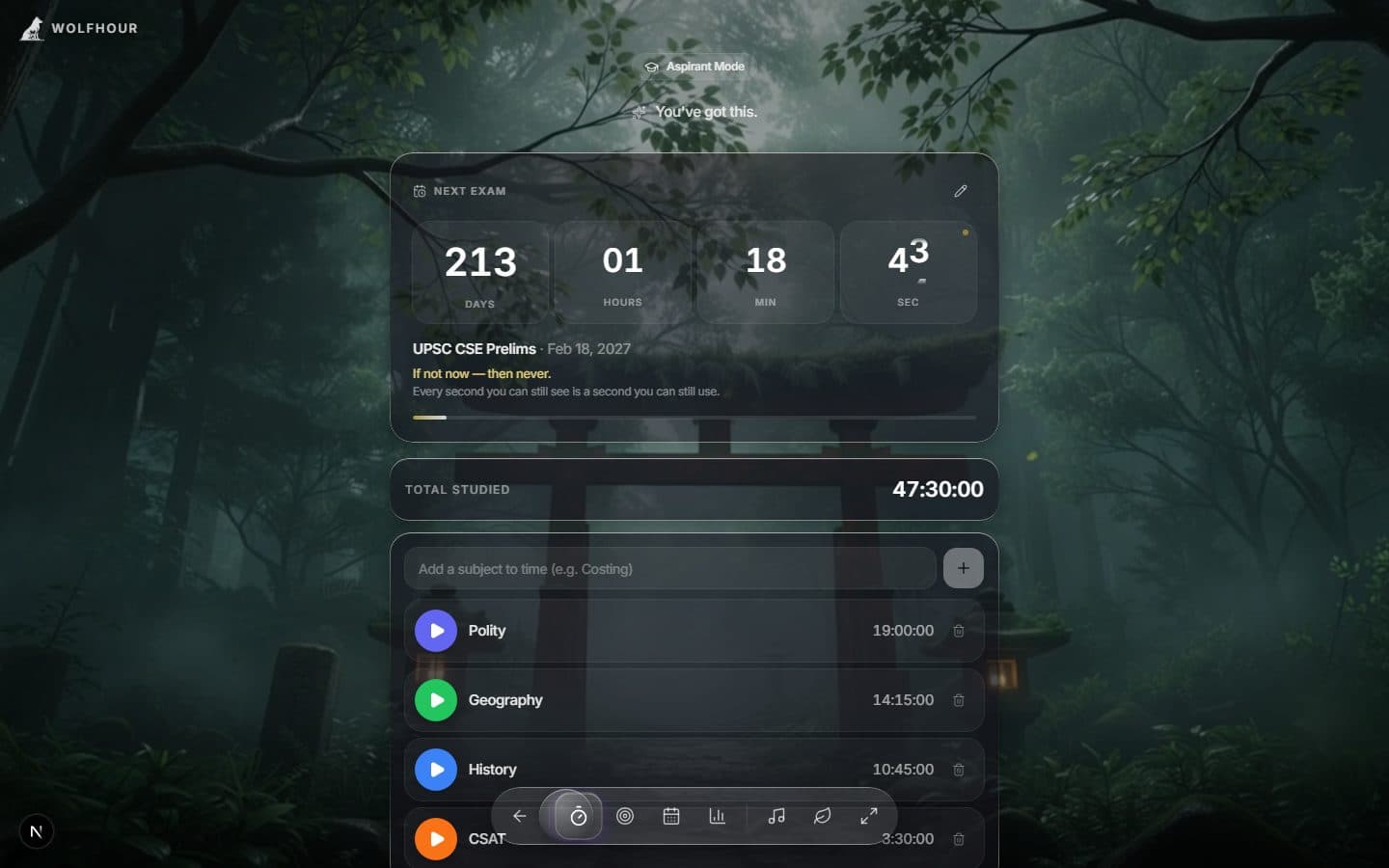
The heart of Aspirant mode is a stack of per-subject stopwatches under a running exam countdown. Start Polity’s timer when you open the book, stop it when you stop — the day’s total and every subject’s share build themselves while you work.
What it tracks
- Per-subject stopwatches.Add a subject, hit play, and every minute lands in that subject’s total — with a live combined total for the day.
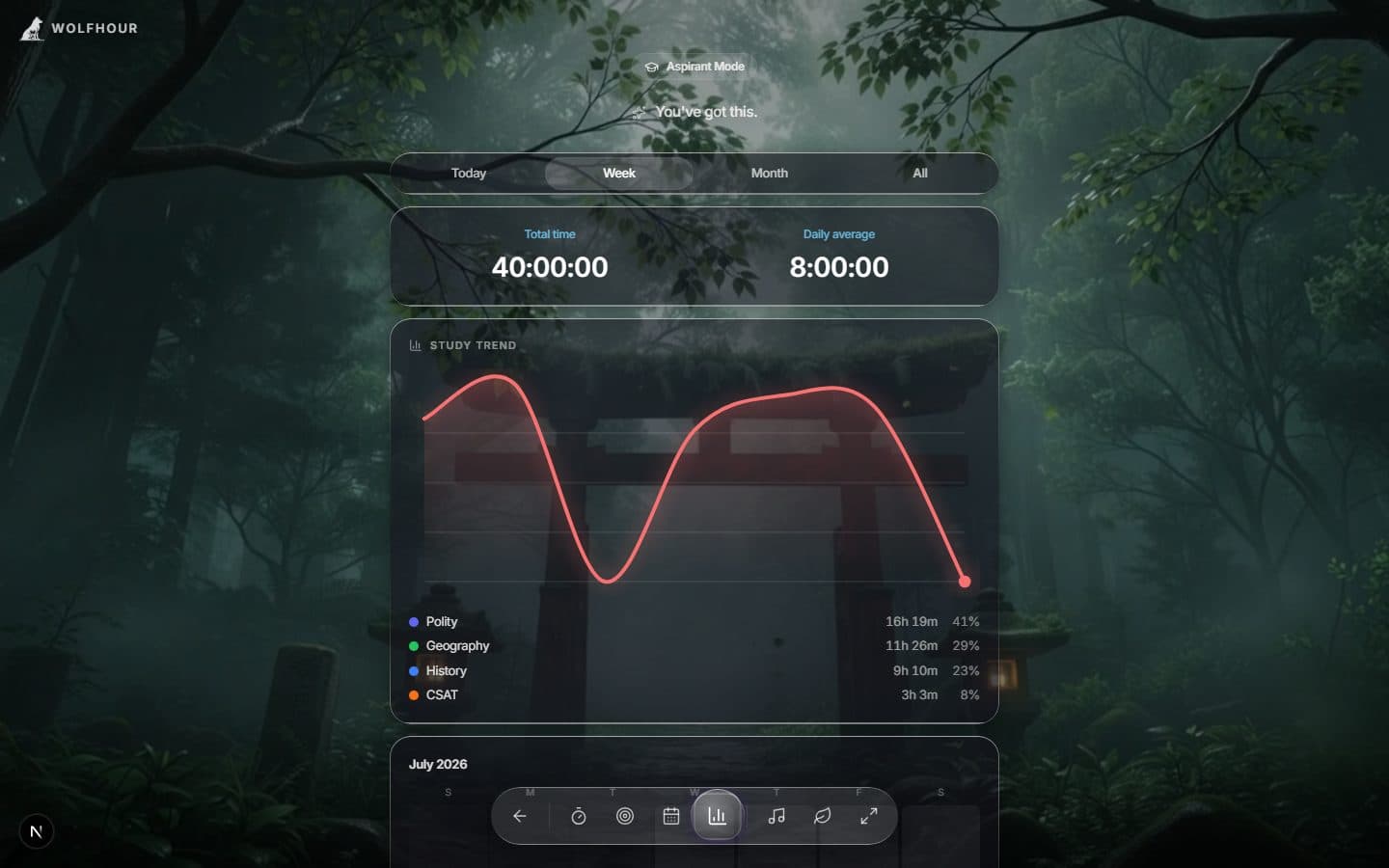
- Analytics with a trend chart. Total time, daily average, and active days over today, the week, the month, or all time — plotted day by day so a flatlining subject is visible, not hidden in a total.
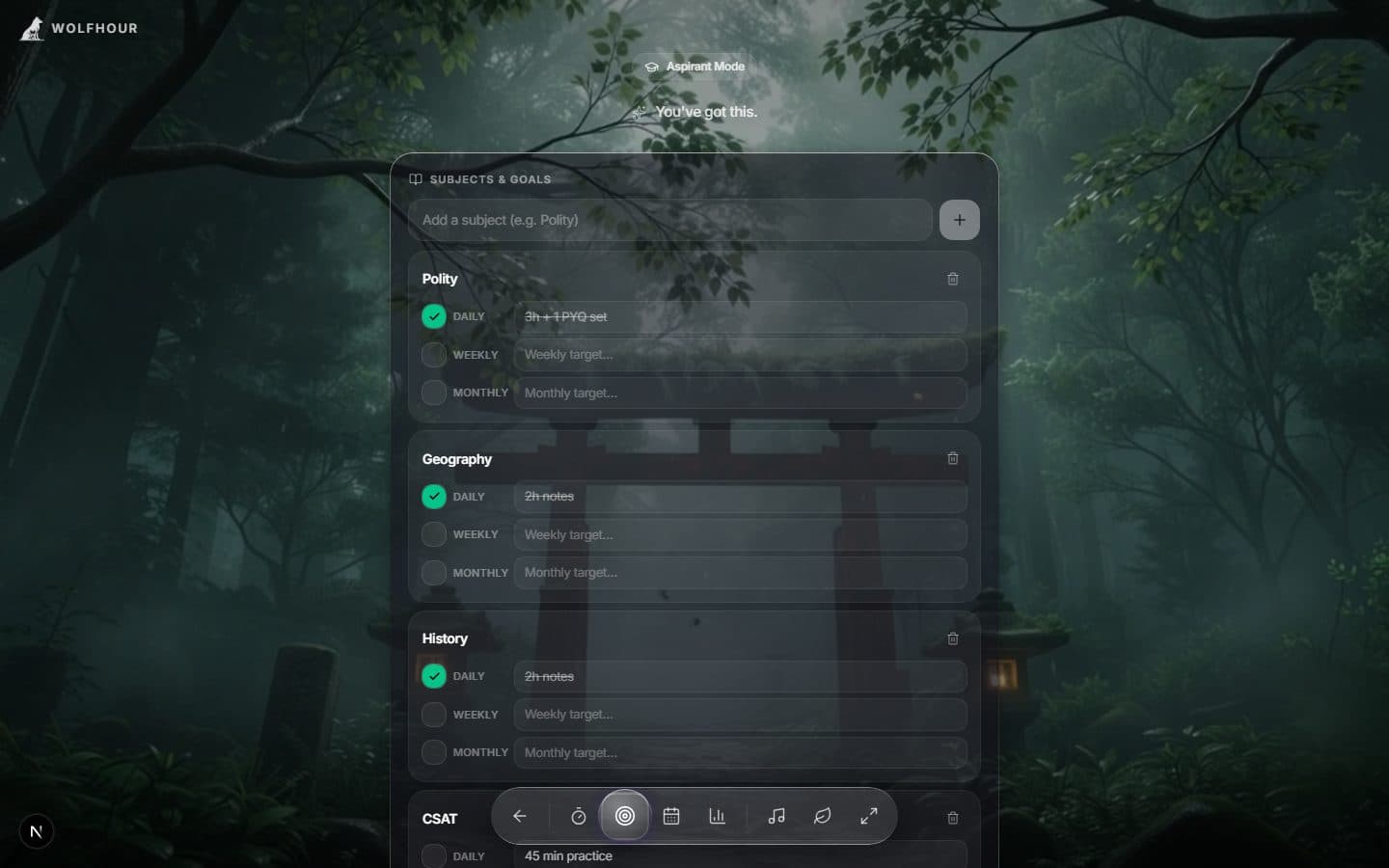
- Subject goals. Set daily, weekly, and monthly targets per subject and tick them off as you hit them.
- An exam countdown. Name your exam, set the date, and the days remaining sit above your stats — a quiet deadline, always in view.
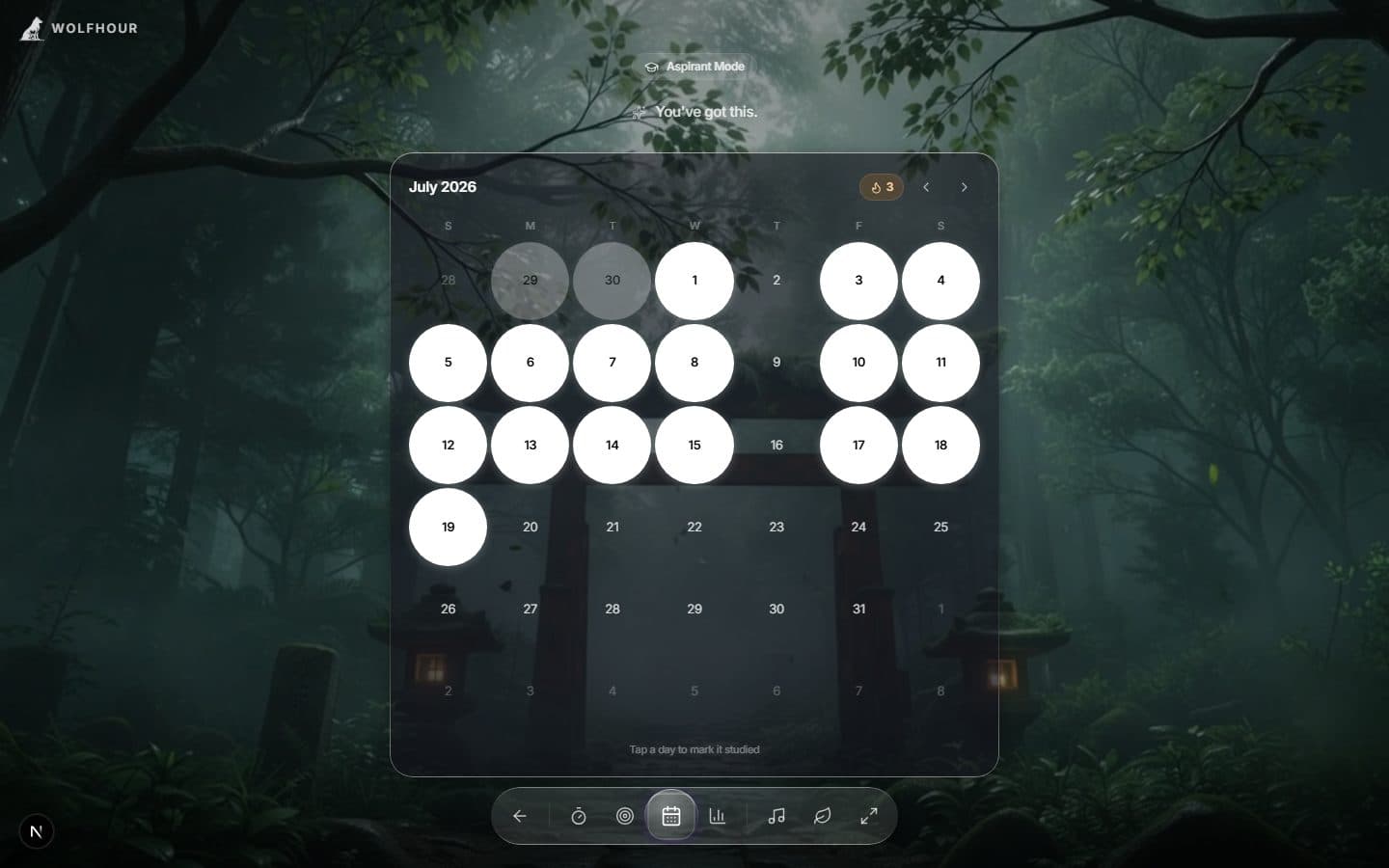
- A study calendar and streak. A month grid you mark day by day; the streak makes skipping visible and coming back rewarding.
Goals you can actually tick off
Each subject carries its own daily, weekly, and monthly target — written in your words (“3h + 1 PYQ set”, “45 min practice”), ticked off when done. Small enough to finish, visible enough to sting when skipped.
A calendar that makes streaks visible
Tap a day to mark it studied. The month grid fills in, the streak counter climbs, and a missed day shows as exactly what it is — a hole in the row. Nothing motivates a Tuesday like an unbroken line of Mondays.
Why does per-subject tracking beat a single total?
Every serious aspirant knows the trap: you drift toward the subjects you like. The hours feel productive because they are hours — but the weak subject stays weak, and no total-hours counter will ever tell you that. A per-subject view makes the avoidance visible in a chart you look at every day. That mild discomfort is the feature. Rebalancing happens naturally once you can see the imbalance.
A day in Aspirant mode
Pick the subject, pick a pomodoro block that fits the work — 25/5 for revision, the stopwatch for long problem sets — and put your usual study mixbehind it. When the block ends, the session is already filed under the right subject. At night, the trend chart tells you tomorrow’s first subject better than any timetable: it’s whichever bar looks embarrassed.
Built for long campaigns
Exam preparation is a months-long campaign, not a productivity sprint. Wolfhour keeps your stats synced across devices and works offline once installed as an app, so a library with bad Wi-Fi doesn’t cost you a session. The scenes and soundscapes are there to make the desk a place you don’t dread returning to — because the aspirants who clear these exams aren’t the ones who studied hardest on their best day. They’re the ones who came back every day.
Aspirant questions, answered
Which exams is Aspirant mode useful for?
Any long, multi-subject preparation: UPSC and state PSCs, NEET, JEE, GATE, CA/CS, boards, bar and licensing exams, or a months-long certification. If your prep has more than one subject and a date attached, per-subject tracking applies.
How many hours a day should an aspirant study?
There's no magic number — toppers report anywhere from 5 to 10 focused hours, and a sustainable 6 beats an occasional 12. The more useful question, which a per-subject tracker answers, is where those hours actually went and which subject is being starved.
Is Aspirant mode free?
Yes. It ships with the free experience — subject timers, goals, streaks, calendar, and analytics. A free account adds cross-device sync so your stats follow you between phone and laptop.
Does it work offline in a library with bad Wi-Fi?
Yes. Install Wolfhour as an app and everything — timers, stats, goals — keeps working offline. Sync catches up when you're back online.